AudioPod AI
  • Pricing

Loading blog...

AudioPod AI
  • Pricing

Loading article...

AudioPod AI
  • Pricing
AudioPod AI
  • Pricing

Loading article...

Make something worth hearing.

Start creating free

Create

  • Music
  • Text to speech
  • Audiobooks
  • Podcasts
  • Voice changer
  • Audio reader
  • Narration

Edit & convert

  • Stem splitter
  • Separate speakers
  • Noise reduction
  • Speech to text
  • Media converter
  • Browser DAW
  • All features

Developers

  • Developer hub
  • API reference
  • Quickstart
  • Python SDK
  • MCP server
  • Changelog
  • API status

Resources

  • Languages
  • Use cases
  • Alternatives
  • Tool comparisons
  • AI audio guide
  • Glossary
  • Showcase

Free tools

  • Audio Format Converter
  • Video to Audio Extractor
  • Voice Recorder
  • Free Stem Splitter
  • Free Vocal Remover
  • All free tools

Company

  • About
  • Manifesto
  • Careers
  • Blog
  • Customers
  • Affiliate program
  • Contact
All pages · Sitemap

Studio

  • AI Music & Rap
  • Text to Speech
  • Audiobook Studio
  • Podcast Generator
  • Voice Changer
  • Audio Reader
  • AI Narrator
  • Studio overview
  • All features

Edit & process

  • Stem Splitter
  • Speaker Separation
  • Noise Reduction
  • Speech to Text
  • Media Converter
  • Browser DAW
  • YouTube to Podcast

Voices

  • Voice library
  • Languages
  • Iconic voices
  • Showcase
  • Music Radio

Free tools

  • All free tools
  • Audio Format Converter
  • Video to Audio
  • Audio Trimmer
  • Voice Recorder
  • ACX Checker
  • Free Stem Splitter
  • WAV to MP3 Converter
  • MP4 to MP3 Converter

Solutions

  • Audiobook authors
  • Podcasters
  • Musicians & creators
  • Education
  • Voice agents
  • Gaming
  • Accessibility
  • Advertising
  • All use cases
  • Authors program
  • Enterprise

Compare

  • vs ElevenLabs
  • vs Suno
  • vs Descript
  • vs Murf
  • vs NotebookLM
  • vs LALAL.AI
  • vs NarrationBox
  • All alternatives
  • Tool comparisons

Resources

  • Blog
  • Changelog
  • Launches
  • Customers
  • Glossary
  • AI Audio guide
  • Family voice (mobile)
  • AudioPod mobile
  • Affiliate program
  • Pricing
  • Developers
  • For AI agents
  • AudioPod for Startups

Company & legal

  • About
  • Manifesto
  • Careers
  • Press & media
  • Contact
  • Responsible AI
  • Voice consent
  • Trust & security
  • System status
  • Security disclosures
  • Security policy
  • Privacy
  • Cookie policy
  • Terms
AudioPod AI

© 2026 AudioPod AI, Inc. All rights reserved.

Privacy|Terms|Trust Center|Responsible AI|Voice consent
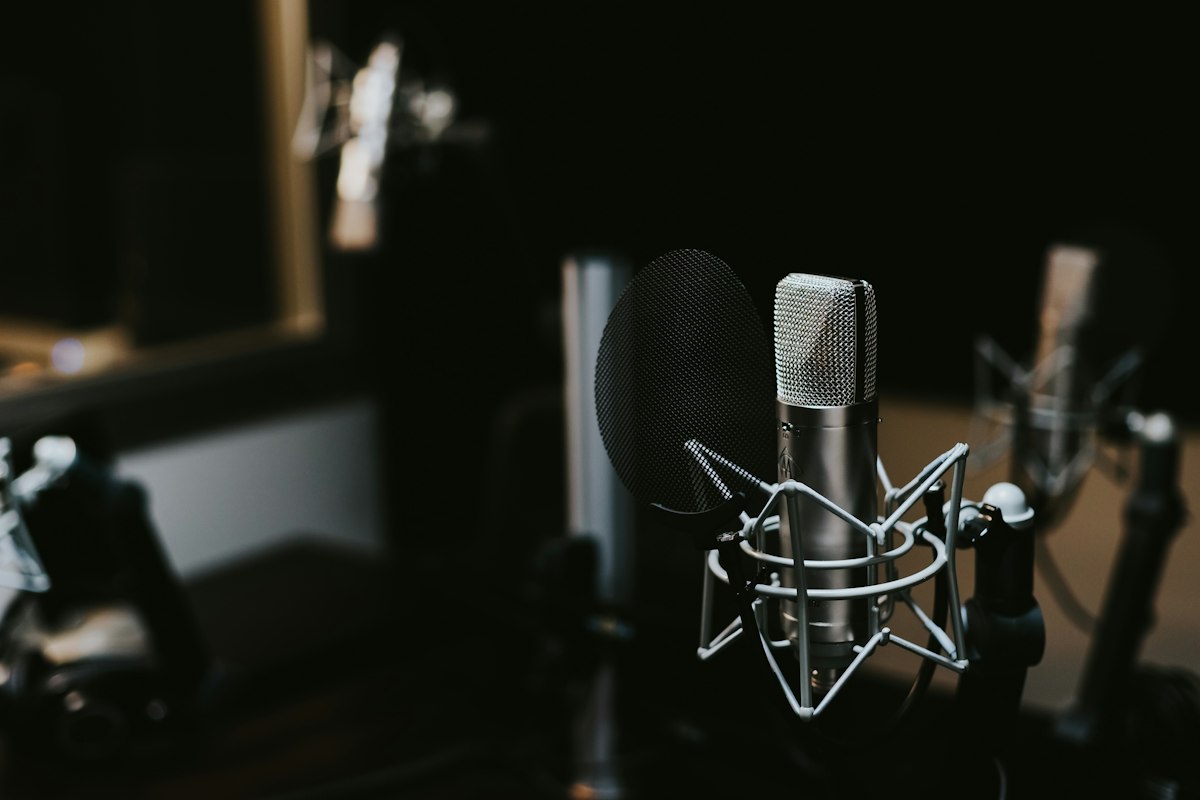
Podcast microphone with transcription - How to transcribe podcasts with AI
HomeBlogTutorials

How to Transcribe Podcasts with AI: Complete Guide 2026

Learn how to transcribe podcasts quickly and accurately using AI. Get speaker labels, timestamps, and export to any format. Free options included.

AudioPod Team
•Tutorials•January 12, 2026•6 min read

🎧 Listen to this article

On This Page

0%
  • Why Transcribe Your Podcast?
  • 1. SEO Benefits
  • 2. Accessibility
  • 3. Content Repurposing
  • 4. Show Notes
  • 5. Research & Reference
  • Method 1: AudioPod AI Transcription
  • Features:
  • Step-by-Step Guide:
  • Export Options:
  • Speaker Diarization: Who Said What
  • How It Works:
  • Example Output:
  • Tips for Better Transcription Accuracy
  • Before Recording:
  • During Recording:
  • After Recording:
  • Transcription for Different Podcast Types
  • Interview Podcasts
  • Solo Shows
  • Panel Discussions
  • Video Podcasts
  • How to Use Your Transcripts
  • Create Blog Posts
  • Generate YouTube Captions
  • Build Episode Show Notes
  • Create Social Content
  • Pricing Comparison
  • Frequently Asked Questions
  • How accurate is AI transcription?
  • How long does transcription take?
  • Can I transcribe in other languages?
  • What file formats are supported?
  • Conclusion

Podcast transcription unlocks massive value: SEO, accessibility, repurposing content, and more. Here's how to transcribe any podcast using AI in 2026.

Key Takeaways

  • Best Overall: AudioPod — Fast, accurate, with speaker labels
  • Accuracy: 95%+ for clear audio
  • Speed: 1 hour of audio in ~3 minutes
  • Output Formats: TXT, SRT, VTT, Word, PDF
  • Free Tier: 60 minutes/month free

Why Transcribe Your Podcast?

Transcription isn't just about having text — it's a content multiplier:

1. SEO Benefits

Search engines can't listen to audio. Transcripts make your episodes searchable, driving organic traffic to your show.

2. Accessibility

Deaf and hard-of-hearing audiences can access your content. It's also helpful for non-native speakers.

3. Content Repurposing

Turn one podcast into:

  • Blog posts
  • Social media quotes
  • Email newsletters
  • eBooks

4. Show Notes

Create detailed episode summaries with timestamps for easy navigation.

5. Research & Reference

Quickly search past episodes for specific topics or quotes.


Method 1: AudioPod AI Transcription

The fastest way to transcribe podcasts with professional-quality results.

Features:

FeatureAudioPodOtter.aiDescript
Accuracy95%+90%+95%+
Speaker Labels✅ Yes✅ Yes✅ Yes
Timestamps✅ Word-level✅ Yes✅ Yes
Languages99+10+23
PriceFree tier + $19/mo$16.99/mo$15/mo

Step-by-Step Guide:

Step 1: Upload Your Podcast

  1. Go to audiopod.ai
  2. Upload your audio file (MP3, WAV, M4A) or paste a URL
  3. Select "Transcribe" from the options

Step 2: Configure Settings

Choose your preferences:

  • Language: Auto-detect or specify
  • Speaker Diarization: Enable to identify who's speaking
  • Timestamps: Word-level or paragraph-level

Step 3: Process & Download

Processing takes about 3 minutes per hour of audio. When done:

  1. Review the transcript in the editor
  2. Make any corrections (usually minimal)
  3. Export in your preferred format

Export Options:

FormatBest For
TXTSimple text, blogs
SRT/VTTSubtitles, YouTube captions
DOCXWord documents
PDFSharing, archiving
JSONDeveloper integration

Speaker Diarization: Who Said What

One of the most valuable features for podcast transcription is speaker diarization — automatically identifying different speakers.

How It Works:

AudioPod's AI analyzes voice characteristics to:

  1. Detect speaker changes
  2. Assign labels (Speaker 1, Speaker 2, etc.)
  3. You can rename labels to actual names

Example Output:

📄code-highlight
123456
[00:00:00] Host: Welcome to the show! Today we're talking about AI.

[00:00:05] Guest: Thanks for having me. I'm excited to dive in.

[00:00:10] Host: Let's start with the basics...
💡

Pro tip: For best speaker detection, ensure each speaker has distinct audio characteristics. Overlapping speech can reduce accuracy.


Tips for Better Transcription Accuracy

Before Recording:

  1. Use quality microphones — Better audio = better transcription
  2. Minimize background noise — Record in quiet environments
  3. Speak clearly — Natural pace, avoid mumbling

During Recording:

  1. Avoid cross-talk — One person at a time
  2. State names — "This is John speaking" helps identification
  3. Use pop filters — Reduces plosives that confuse AI

After Recording:

  1. Reduce noise first — Use AudioPod's noise reduction before transcribing
  2. Review and edit — AI is 95%+ accurate, but review for names and jargon
  3. Train the vocabulary — Add custom terms for your niche

Transcription for Different Podcast Types

Interview Podcasts

  • Enable speaker diarization (2+ speakers)
  • Export with speaker labels
  • Great for creating Q&A blog posts

Solo Shows

  • Single speaker mode is faster
  • Use timestamps for chapter markers
  • Perfect for show notes

Panel Discussions

  • Multi-speaker detection (up to 10 speakers)
  • May need more editing for overlapping speech
  • Export with timestamps for reference

Video Podcasts

  • Transcribe audio track
  • Export as SRT for YouTube captions
  • Improves accessibility and watch time

How to Use Your Transcripts

Create Blog Posts

Transform your transcript into SEO-optimized articles:

  1. Edit for readability (remove filler words)
  2. Add headings and structure
  3. Include relevant links and images
  4. Publish on your website

Generate YouTube Captions

  1. Export transcript as SRT or VTT
  2. Upload to YouTube Studio
  3. Review auto-sync timing
  4. Publish with captions

Build Episode Show Notes

  1. Identify key topics and timestamps
  2. Create clickable chapter markers
  3. Add guest links and resources
  4. Embed in your podcast host

Create Social Content

Pull quotes and insights for:

  • Twitter/X threads
  • LinkedIn posts
  • Instagram carousels
  • TikTok clips

Pricing Comparison

ServiceFree TierPaid PlansBest For
AudioPod1,000 credits/mo freeFrom $20/moQuality + features
Otter.ai300 min/moFrom $16.99/moMeetings
Descript1 hourFrom $15/moVideo editing
RevNone$1.50/minHuman review
TrintNoneFrom $60/moEnterprise

Frequently Asked Questions

How accurate is AI transcription?

Modern AI transcription achieves 95%+ accuracy for clear audio in supported languages. Accuracy may decrease with:

  • Heavy accents
  • Background noise
  • Multiple overlapping speakers
  • Technical jargon

How long does transcription take?

With AudioPod:

  • 1 hour of audio ≈ 3 minutes processing
  • 10x faster than real-time

Can I transcribe in other languages?

Yes! AudioPod supports 99+ languages including:

  • Spanish, French, German, Italian
  • Chinese, Japanese, Korean
  • Arabic, Hindi, Portuguese
  • And many more

What file formats are supported?

  • Audio: MP3, WAV, M4A, FLAC, OGG
  • Video: MP4, MOV, AVI, MKV (audio track extracted)
  • URLs: YouTube, podcast RSS feeds

Conclusion

AI transcription has revolutionized podcast workflows. With tools like AudioPod, you can transcribe hours of content in minutes, complete with speaker labels and timestamps.

Ready to transcribe your podcast? Try AudioPod free →

Tags

#transcription#podcast#ai-transcription#tutorial#speaker-diarization#subtitles#captions#content-repurposing

Share this article

On This Page

0%
  • Why Transcribe Your Podcast?
  • 1. SEO Benefits
  • 2. Accessibility
  • 3. Content Repurposing
  • 4. Show Notes
  • 5. Research & Reference
  • Method 1: AudioPod AI Transcription
  • Features:
  • Step-by-Step Guide:
  • Export Options:
  • Speaker Diarization: Who Said What
  • How It Works:
  • Example Output:
  • Tips for Better Transcription Accuracy
  • Before Recording:
  • During Recording:
  • After Recording:
  • Transcription for Different Podcast Types
  • Interview Podcasts
  • Solo Shows
  • Panel Discussions
  • Video Podcasts
  • How to Use Your Transcripts
  • Create Blog Posts
  • Generate YouTube Captions
  • Build Episode Show Notes
  • Create Social Content
  • Pricing Comparison
  • Frequently Asked Questions
  • How accurate is AI transcription?
  • How long does transcription take?
  • Can I transcribe in other languages?
  • What file formats are supported?
  • Conclusion

Related Articles

How to Make an Audiobook Retail Sample That Sells
Tutorials
August 4, 202611 min read

How to Make an Audiobook Retail Sample That Sells

The retail sample gets more plays than the rest of your audiobook combined. A step-by-step workflow for building one that converts browsers into buyers.

Read article
How to Fix AI Narration Pronunciation for Fantasy Audiobooks
Tutorials
July 28, 202611 min read

How to Fix AI Narration Pronunciation for Fantasy Audiobooks

A step-by-step workflow for making an AI narrator say your invented names correctly — respellings, test renders, and a transcript diff to catch misses.

Read article
ACX Audio Specs: Master an AI Audiobook That Passes QA
Tutorials
July 14, 20268 min read

ACX Audio Specs: Master an AI Audiobook That Passes QA

A step-by-step guide to mastering AI-narrated audiobook files to ACX's audio specs so your submission clears QA on the first pass.

Read article

Try AudioPod free

Turn this into your own audio — start free, no card required.

Get started freeSee pricing

Get free audio tips and early access

The best of AudioPod in your inbox — no spam, unsubscribe anytime.

Weekly audio tips · Feature previews · Exclusive discounts
